Proper hand placement and grip sizing support reliable biometric authentication, comfort, and safe operation of the Biofire Smart Gun. Adjusting the Smart Gun's fit with the included backstraps allows for modification of the grip for various hand sizes and shooting styles.
Importance of Proper Grip and Fit:
- Establish reliable fingerprint sensor contact
- Improve comfort and control when handling the firearm
- Support consistent performance during use
Whether you are new to firearms or just new to the Smart Gun, please take the time to complete grip sizing correctly to ensure your Smart Gun is manufactured with the optimal fit for you.

Handle your Smart Gun safely and responsibly at all times. Failure to follow proper firearm safety practices can lead to injury, death, and/or damage.
- Keep the muzzle of your Smart Gun pointed in a safe direction at all times.
- Keep your finger off the trigger of your Smart Gun until ready to fire.
- Only point the Smart Gun at intended targets, and always know your target and what lies beyond your target.
- Always treat your Smart Gun as if it is loaded, even after clearing it.
- Make sure your Smart Gun is unloaded and clear before any cleaning or service and always wear eye protection when cleaning or servicing your Smart Gun.
- Always read and follow the Product Manual.
Holding the Smart Gun
Grip Establishment
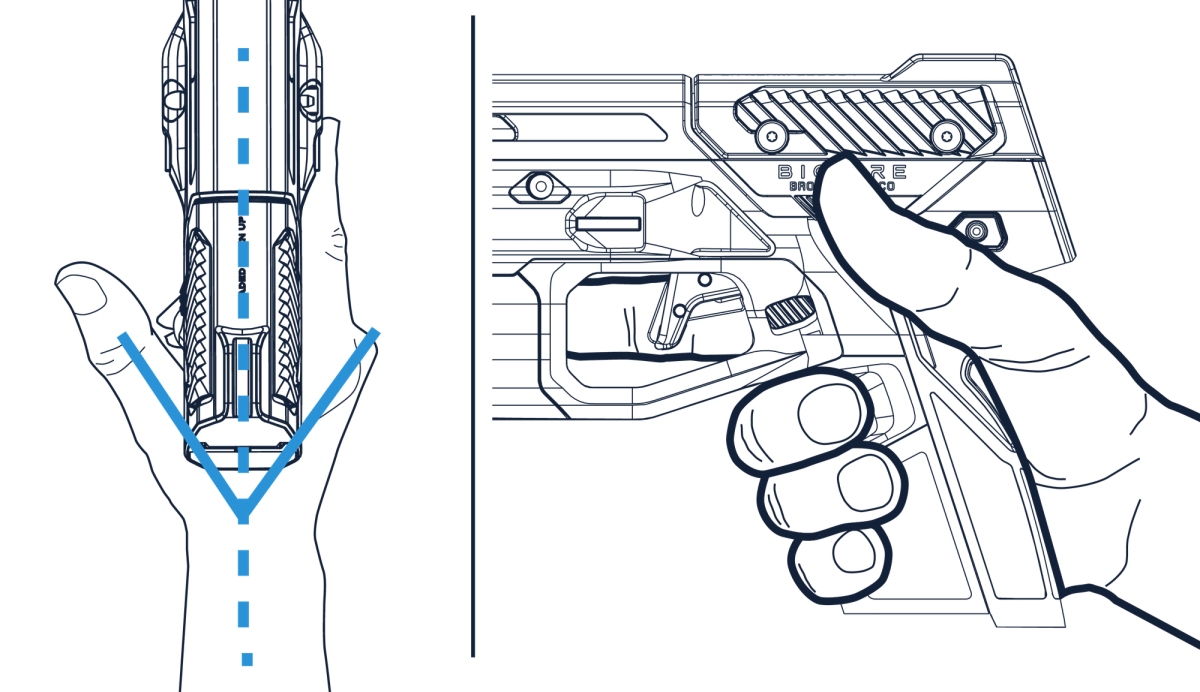
- Make a "V" with the dominant hand between the thumb and index finger
- Place that "V" as high into the beavertail as possible
- Avoid gaps or low grip positioning
Wrist Alignment
- Ensure the Smart Gun is in a straight line with the forearm and wrist
- This promotes stability and reduces recoil movement
Finger Placement
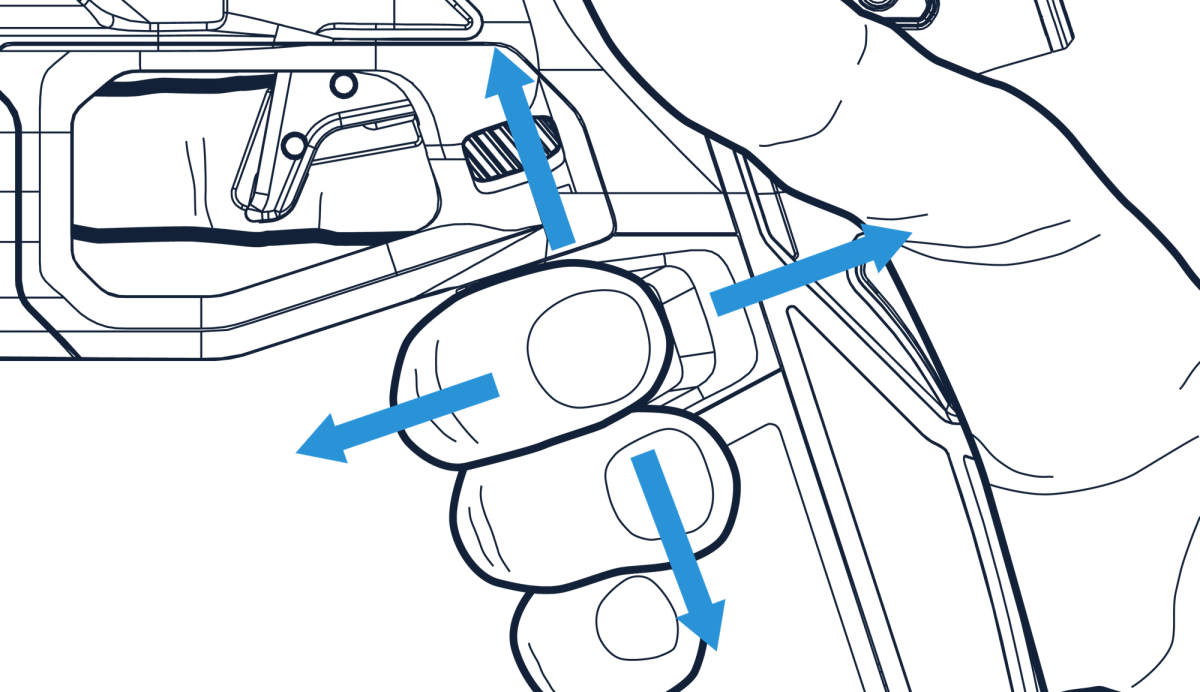
- Rest the middle finger naturally on the fingerprint sensor
- Check that the pad of the finger is centered on the sensor for optimal reads
Trigger Finger Position
- Keep trigger finger off of the trigger
- Rest the trigger finger above the trigger on the frame or laser housing until ready to fire
Tip: Practice picking up the Smart Gun a few times to develop muscle memory for a natural and consistent grip.
Sizing the Smart Gun
The Smart Gun is sized to the primary user with the Grip Sizing Template to closely fit the primary user's grip and does not always need size adjustments. If the primary user or secondary users need to size up, the Smart Gun includes interchangeable backstraps to fine-tune the grip length and sensor alignment. The backstraps are located inside a small bag under the Dock, and are labeled Size 1 (smaller) and Size 2 (larger).
Attach a backstrap to the beavertail to adjust the distance to the fingerprint sensor.
Step 1: Start With No Backstrap
- Hold the Smart Gun using recommended grip technique
- Check where the middle finger lands on the sensor
If the middle finger is too far past the sensor → the grip is too small
If the middle finger can barely reach the sensor → the grip is too large
If the grip is too large for the primary user of the Smart Gun, and there is no backstrap attached, please contact Biofire customer support at [email protected]. If the grip is too large for a secondary user, grip adjustment may be necessary to authenticate via fingerprint. Once authenticated, the Smart Gun remains armed as long as presence is detected on the grip.
Step 2: Try Size 1 Backstrap (IF NECESSARY)
- Snap Size 1 into place using the side grooves on the beavertail (the rear curve of the grip)
- Test the grip and authenticate
Consider this the right size if the fingerprint read feels comfortable and authentication is reliable.
Step 3: Try Size 2 (IF NECESSARY)
- Remove Size 1 by pushing upward and outward
- Snap in Size 2 by aligning the backstrap to the beavertail and pushing forward and upward
The grip may be too large if the middle finger still struggles to reach the sensor.
Please refer to page 40 of the Product Manual for more information on backstraps and grip adjustment.